Make categories easier to distinguish
Category Colors assigns a separate color to each data category, making groups easier to compare and preparing the map for category-based analysis.
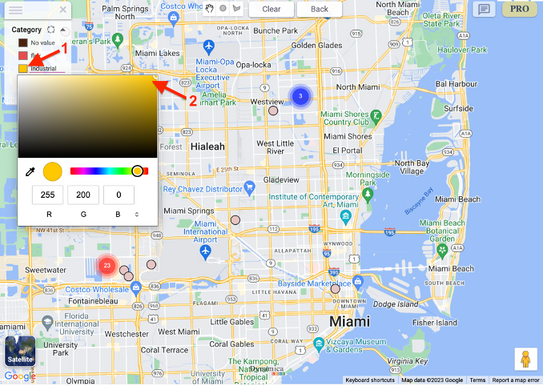
Change a category color
- Ensure the Categories field is populated.
- Open the map legend.
- Select a category and choose the desired color.