Search for a location
- Open the PRO menu and enable Address Search.
- Return to the map.
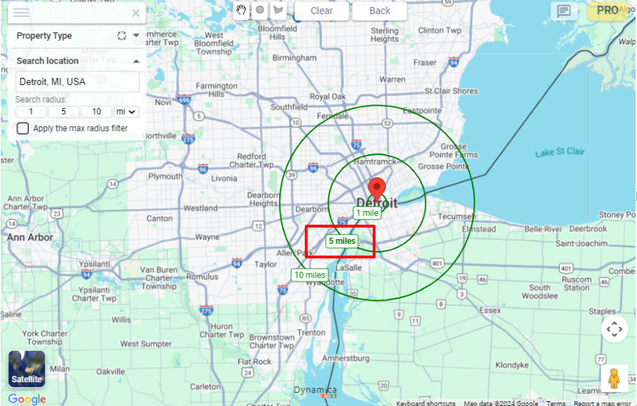
- Enter an address or place name in the search box.
- Adjust the displayed radii if needed.
- Select a radius label to filter report objects within it.
Apply the max radius filter
Apply the max radius filter activates filtering for all three displayed radii at the same time. Selecting the action again removes that filtering.
Note
According to the guide, selecting an individual radius after applying the max-radius filter deactivates the max-radius mode.