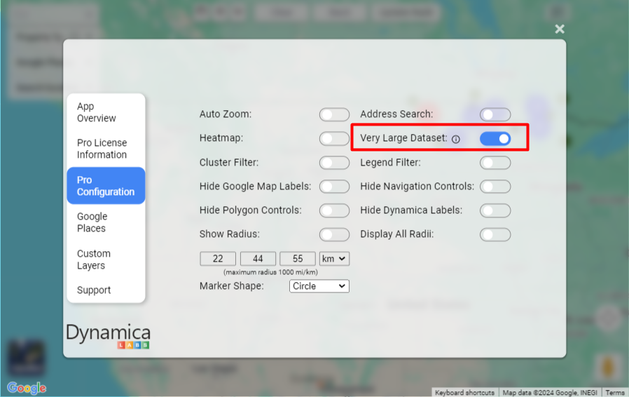
Enable large dataset processing
The source guide states that, when Very Large Dataset is disabled, only the first 30,000 rows are processed and displayed.
- Open the PRO menu.
- In Pro Configuration, enable Very Large Dataset.
Important
The guide does not provide an upper limit or performance guarantee. Test the actual dataset, report model, browser, and capacity before promising a specific scale.