Enable required APIs
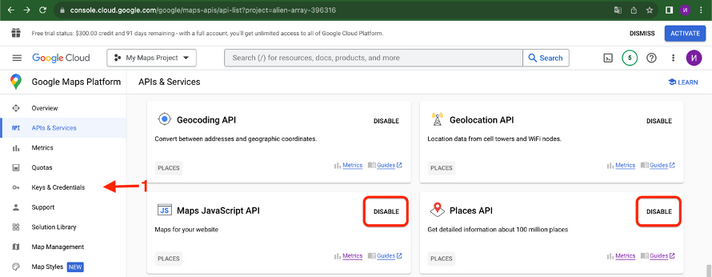
- Open Google Cloud Console and select the project used for the report.
- Open Google Maps Platform, then APIs & Services.
- Locate Maps JavaScript API and enable it if it is disabled.
- Enable Places API when using Google Places-related functionality.
- Open Keys & Credentials.
Create or copy an API key
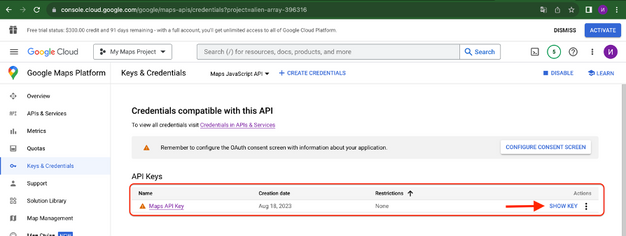
- If an API key already exists, open it from the credentials list.
- Otherwise select Create credentials, then API key.
- Copy the generated key and paste it into Google Maps Settings in Power BI.
Restrict the key
Important
The source guide explicitly recommends restricting the API key before production use. Google Cloud screens, recommended restrictions, billing requirements, and API names can change; verify the current Google Maps Platform documentation when configuring production credentials.